Your app loads data from an API. But what happens when the user has no internet? The screen goes blank.
Room database fixes this. It saves data on the device so your app works offline. And it integrates perfectly with Compose — when data changes in the database, the UI updates automatically.
What is Room?
Room is Google’s database library for Android. It sits on top of SQLite and gives you a clean Kotlin API instead of raw SQL.
Three main parts:
| Part | What It Is | What It Does |
|---|---|---|
| Entity | A data class | Defines a database table |
| DAO | An interface | Defines how to read/write data |
| Database | An abstract class | Creates and manages the database |
Entity (data) → DAO (operations) → Database (connection)
       ↕              ↕
    Kotlin          Compose UI
Setup
Add Room dependencies to your build.gradle.kts:
plugins {
    // Add KSP for Room annotation processing
    id("com.google.devtools.ksp") version "2.2.10-1.0.30"
}

dependencies {
    val roomVersion = "2.7.1"
    implementation("androidx.room:room-runtime:$roomVersion")
    implementation("androidx.room:room-ktx:$roomVersion")
    ksp("androidx.room:room-compiler:$roomVersion")
}
Step 1: Create the Entity
An Entity is a regular Kotlin data class with annotations that tell Room how to create the table:
@Entity(tableName = "notes")
data class Note(
    @PrimaryKey(autoGenerate = true)
    val id: Int = 0,
    val title: String,
    val content: String,
    val createdAt: Long = System.currentTimeMillis()
)
This creates a table called notes with four columns: id, title, content, and createdAt. The id auto-generates — you don’t need to set it.
Step 2: Create the DAO
The DAO (Data Access Object) defines what you can do with the data:
@Dao
interface NoteDao {
    // Get all notes, newest first
    // Flow means Compose updates automatically when data changes
    @Query("SELECT * FROM notes ORDER BY createdAt DESC")
    fun getAllNotes(): Flow<List<Note>>

    // Get one note by ID
    @Query("SELECT * FROM notes WHERE id = :noteId")
    suspend fun getNoteById(noteId: Int): Note?

    // Insert a new note
    @Insert
    suspend fun insert(note: Note)

    // Update an existing note
    @Update
    suspend fun update(note: Note)

    // Delete a note
    @Delete
    suspend fun delete(note: Note)

    // Search notes by title
    @Query("SELECT * FROM notes WHERE title LIKE '%' || :query || '%' ORDER BY createdAt DESC")
    fun searchNotes(query: String): Flow<List<Note>>
}
Key point: getAllNotes() returns Flow<List<Note>>. This means whenever you add, update, or delete a note, the list updates automatically. No manual refresh needed.
Functions that change data (insert, update, delete) are suspend — they run on a background thread.
Step 3: Create the Database
@Database(entities = [Note::class], version = 1)
abstract class AppDatabase : RoomDatabase() {
    abstract fun noteDao(): NoteDao
}
Create a singleton to get the database instance:
object DatabaseProvider {
    @Volatile
    private var INSTANCE: AppDatabase? = null

    fun getDatabase(context: Context): AppDatabase {
        return INSTANCE ?: synchronized(this) {
            val instance = Room.databaseBuilder(
                context.applicationContext,
                AppDatabase::class.java,
                "notes_database"
            ).build()
            INSTANCE = instance
            instance
        }
    }
}
Step 4: Create the ViewModel
The ViewModel connects the database to the UI:
data class NotesState(
    val notes: List<Note> = emptyList(),
    val searchQuery: String = ""
)

class NotesViewModel(application: Application) : AndroidViewModel(application) {

    private val dao = DatabaseProvider.getDatabase(application).noteDao()

    private val _state = MutableStateFlow(NotesState())
    val state: StateFlow<NotesState> = _state.asStateFlow()

    init {
        // Observe all notes — UI updates automatically when database changes
        viewModelScope.launch {
            dao.getAllNotes().collect { notes ->
                _state.update { it.copy(notes = notes) }
            }
        }
    }

    fun addNote(title: String, content: String) {
        viewModelScope.launch {
            dao.insert(Note(title = title, content = content))
            // No need to manually refresh — Flow handles it
        }
    }

    fun deleteNote(note: Note) {
        viewModelScope.launch {
            dao.delete(note)
        }
    }

    // Track the search job so we can cancel the previous one
    private var searchJob: Job? = null

    fun onSearchQueryChange(query: String) {
        _state.update { it.copy(searchQuery = query) }

        // Cancel the previous search before starting a new one
        // Without this, multiple collectors run in parallel
        searchJob?.cancel()
        searchJob = viewModelScope.launch {
            val flow = if (query.isEmpty()) {
                dao.getAllNotes()
            } else {
                dao.searchNotes(query)
            }
            flow.collect { notes ->
                _state.update { it.copy(notes = notes) }
            }
        }
    }
}
Notice: after insert or delete, we don’t manually update the state. Room’s Flow detects the change and emits the new list automatically. The collect block in init catches it and updates the UI.
Step 5: Build the UI
@Composable
fun NotesScreen(viewModel: NotesViewModel = viewModel()) {
    val state by viewModel.state.collectAsStateWithLifecycle()
    var showAddDialog by remember { mutableStateOf(false) }

    Scaffold(
        floatingActionButton = {
            FloatingActionButton(onClick = { showAddDialog = true }) {
                Icon(Icons.Default.Add, contentDescription = "Add note")
            }
        }
    ) { padding ->
        Column(modifier = Modifier.padding(padding).fillMaxSize()) {
            // Search bar
            OutlinedTextField(
                value = state.searchQuery,
                onValueChange = { viewModel.onSearchQueryChange(it) },
                label = { Text("Search notes") },
                modifier = Modifier.fillMaxWidth().padding(16.dp)
            )

            // Notes list
            if (state.notes.isEmpty()) {
                Box(
                    modifier = Modifier.fillMaxSize(),
                    contentAlignment = Alignment.Center
                ) {
                    Text("No notes yet. Tap + to add one.")
                }
            } else {
                LazyColumn(
                    contentPadding = PaddingValues(16.dp),
                    verticalArrangement = Arrangement.spacedBy(8.dp)
                ) {
                    items(state.notes, key = { it.id }) { note ->
                        NoteCard(
                            note = note,
                            onDelete = { viewModel.deleteNote(note) }
                        )
                    }
                }
            }
        }
    }

    // Add note dialog
    if (showAddDialog) {
        AddNoteDialog(
            onDismiss = { showAddDialog = false },
            onSave = { title, content ->
                viewModel.addNote(title, content)
                showAddDialog = false
            }
        )
    }
}
Note Card
@Composable
fun NoteCard(note: Note, onDelete: () -> Unit) {
    Surface(
        modifier = Modifier.fillMaxWidth(),
        shape = RoundedCornerShape(12.dp),
        color = MaterialTheme.colorScheme.surfaceVariant
    ) {
        Row(
            modifier = Modifier.padding(16.dp),
            verticalAlignment = Alignment.Top
        ) {
            Column(modifier = Modifier.weight(1f)) {
                Text(note.title, fontWeight = FontWeight.Bold)
                if (note.content.isNotEmpty()) {
                    Text(
                        note.content,
                        maxLines = 2,
                        overflow = TextOverflow.Ellipsis,
                        color = MaterialTheme.colorScheme.onSurfaceVariant
                    )
                }
            }
            IconButton(onClick = onDelete) {
                Icon(Icons.Default.Delete, contentDescription = "Delete")
            }
        }
    }
}
Add Note Dialog
@Composable
fun AddNoteDialog(onDismiss: () -> Unit, onSave: (String, String) -> Unit) {
    var title by remember { mutableStateOf("") }
    var content by remember { mutableStateOf("") }

    AlertDialog(
        onDismissRequest = onDismiss,
        title = { Text("New Note") },
        text = {
            Column {
                OutlinedTextField(
                    value = title,
                    onValueChange = { title = it },
                    label = { Text("Title") },
                    modifier = Modifier.fillMaxWidth()
                )
                Spacer(modifier = Modifier.height(8.dp))
                OutlinedTextField(
                    value = content,
                    onValueChange = { content = it },
                    label = { Text("Content") },
                    modifier = Modifier.fillMaxWidth(),
                    minLines = 3
                )
            }
        },
        confirmButton = {
            Button(
                onClick = { onSave(title, content) },
                enabled = title.isNotBlank()
            ) {
                Text("Save")
            }
        },
        dismissButton = {
            TextButton(onClick = onDismiss) {
                Text("Cancel")
            }
        }
    )
}
How Flow + Room + Compose Work Together
This is the most important pattern to understand:
Database changes (insert/update/delete)
        ↓
Room's Flow detects the change
        ↓
Flow emits the new list
        ↓
ViewModel collects it and updates StateFlow
        ↓
Compose observes StateFlow and redraws the UI
        ↓
User sees the updated data instantly
You don’t call any “refresh” function. The data flows automatically from database to screen. This is called reactive data flow — and it is the standard pattern for modern Android apps.
Common Mistakes
Mistake 1: Not Using Flow for Queries
// BAD — you need to manually refresh after every change
@Query("SELECT * FROM notes")
suspend fun getAllNotes(): List<Note>

// GOOD — automatically emits new data when table changes
@Query("SELECT * FROM notes")
fun getAllNotes(): Flow<List<Note>>
Mistake 2: Running Database Operations on Main Thread
// BAD — crashes with "Cannot access database on the main thread"
val notes = dao.getAllNotes()

// GOOD — use suspend functions + viewModelScope
viewModelScope.launch {
    dao.insert(note)
}
Mistake 3: Creating Multiple Database Instances
// BAD — creates a new database every time
val db = Room.databaseBuilder(...).build()

// GOOD — use a singleton
val db = DatabaseProvider.getDatabase(context)
Mistake 4: Forgetting KSP Plugin
If you get “cannot find implementation for database” error, make sure you added the KSP plugin and the Room compiler dependency.
Quick Reference
| Annotation | What It Does |
|---|---|
@Entity | Marks a class as a database table |
@PrimaryKey | Marks the unique ID column |
@Dao | Marks an interface as a Data Access Object |
@Query | Custom SQL query |
@Insert | Insert a row |
@Update | Update a row |
@Delete | Delete a row |
@Database | Marks the database class |
Result
Here is what the notes app looks like when you run the code from this tutorial:
| Light Mode | Dark Mode |
|---|---|
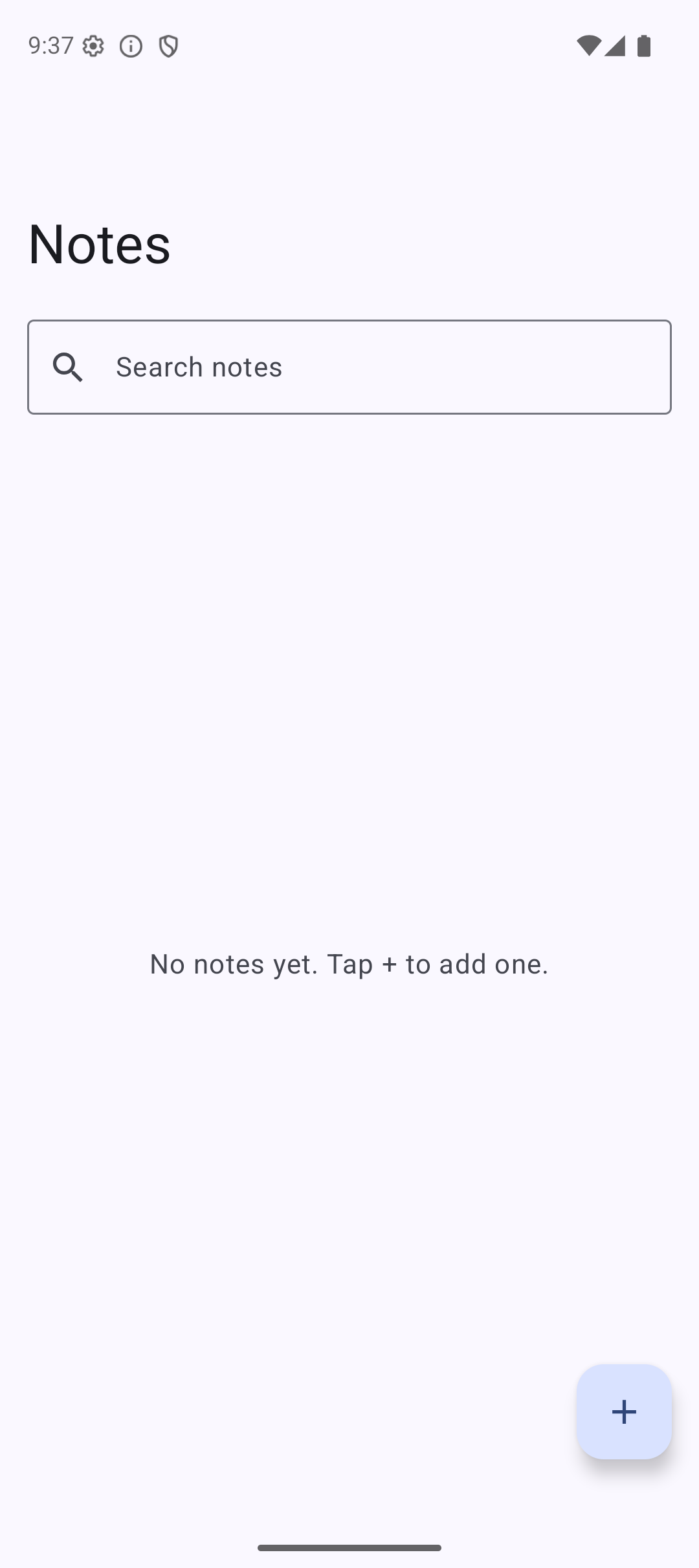 | 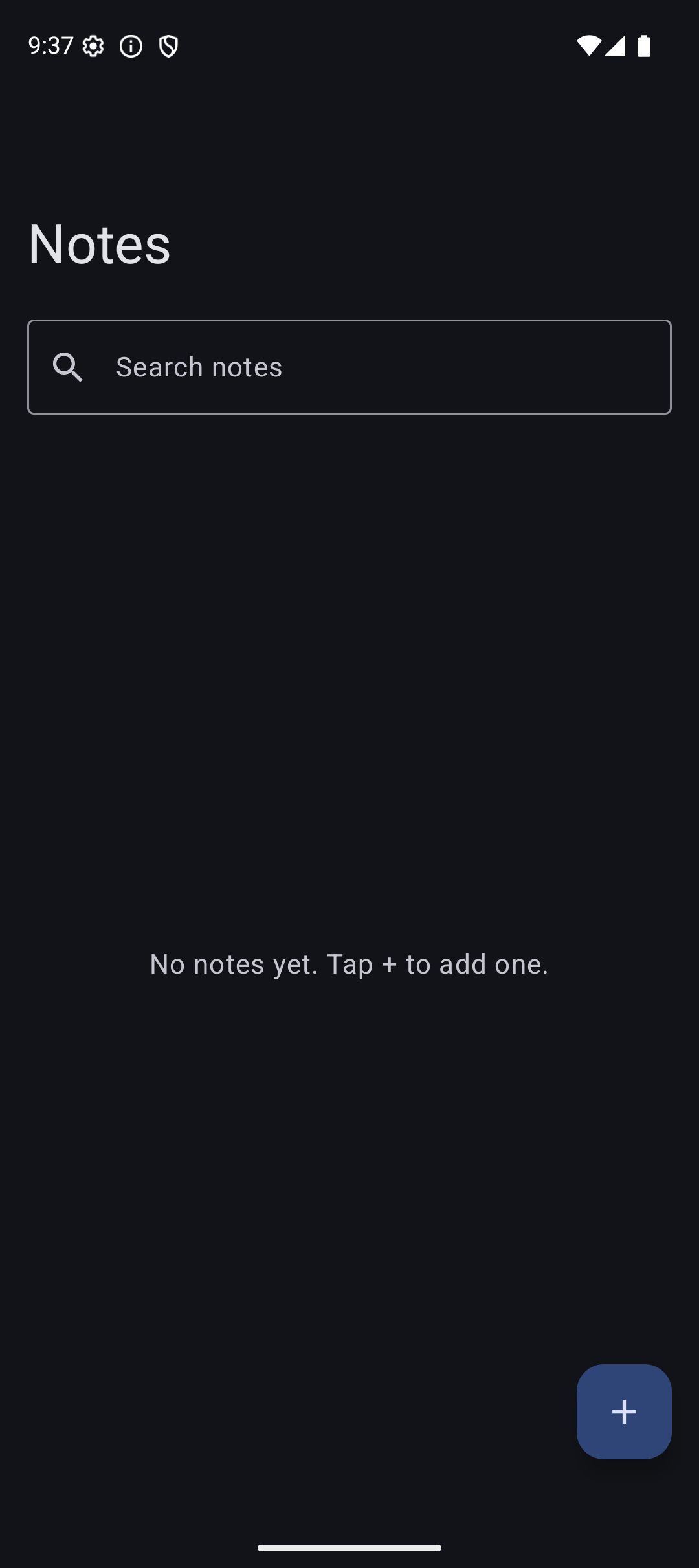 |
Source Code
The complete working code for this tutorial is on GitHub:
Related Tutorials
- Tutorial #9: ViewModel — StateFlow that connects Room to the UI
- Tutorial #12: Retrofit — combine Room (local) with Retrofit (remote) for offline-first apps
- Tutorial #6: Lists — LazyColumn for displaying database data
- Jetpack Compose Cheat Sheet — quick reference for every component and modifier.
- Full Series: Jetpack Compose Tutorial — all 25 tutorials from zero to publishing.
What’s Next?
In the next tutorial, we will learn about Hilt — Dependency Injection. Instead of creating the database manually with DatabaseProvider, Hilt will inject it automatically. This makes your code cleaner and easier to test.
See you there.