Android Tutorial #2: Dependency Injection with Hilt — Complete Guide

In the previous tutorial, you learned about Clean Architecture layers. But there is a problem — who connects everything together? Who creates the repository and gives it to the ViewModel? Who creates the database and gives it to the repository? You could wire everything manually. But with 10 ViewModels, 5 repositories, and 3 data sources, you will spend more time wiring than coding. Hilt solves this. You annotate your classes and Hilt connects everything automatically. It is Google’s recommended DI framework for Android. ...

July 4, 2026 · 9 min

Android Tutorial #1: Android App Architecture — MVVM, MVI, and Clean Architecture

Your first Android app works fine with everything in one file. But as the app grows, things fall apart. You add more screens. More API calls. More database queries. Suddenly, one change breaks three unrelated features. This is the architecture problem. And it is the reason most real-world apps follow a structured pattern. In this tutorial, you will learn the three most important architecture patterns for Android: MVVM, MVI, and Clean Architecture. You will understand when to use each one and how they work together. ...

July 3, 2026 · 10 min

Build a Mobile App with AI — Kotlin + Jetpack Compose

Mobile development is where AI tools face their toughest test. Android has complex APIs, Jetpack Compose changes fast, and platform-specific patterns do not always match what AI learned from web development tutorials. In this article, you will build a complete notes app with Kotlin and Jetpack Compose. You will use Claude Code as the primary tool (running alongside Android Studio) and Copilot for inline completions. Every prompt, every AI mistake, and every manual fix is shown. ...

June 27, 2026 · 9 min

Android App Functions: Let AI Assistants Call Your Kotlin Code Directly

Android 16 ships a platform feature called App Functions. It lets an AI assistant — like Google Gemini — discover and call typed functions inside your app from a natural-language request, without the user opening your app. You annotate a suspend fun with @AppFunction. A KSP compiler plugin reads your KDoc and turns it into an XML schema. Android indexes that schema when the app installs. When a user says “set a 10-minute pasta timer,” an assistant like Gemini matches the request to your function and calls it. Your function runs locally, inside your app’s own process. ...

June 25, 2026 · 10 min
Android Development in 2026 — What Actually Matters

Android Development in 2026: What Actually Matters Now

Android development has changed a lot in the past few years. The ecosystem is no longer centered on XML layouts and basic CRUD apps. In 2026, Android development is shaped by AI-native features, Kotlin-first tooling, multiplatform code, and performance engineering. Many developers are still learning patterns that teams are already moving away from. So the real question is no longer: “How do I build Android apps?” The real question is: ...

May 15, 2026 · 5 min
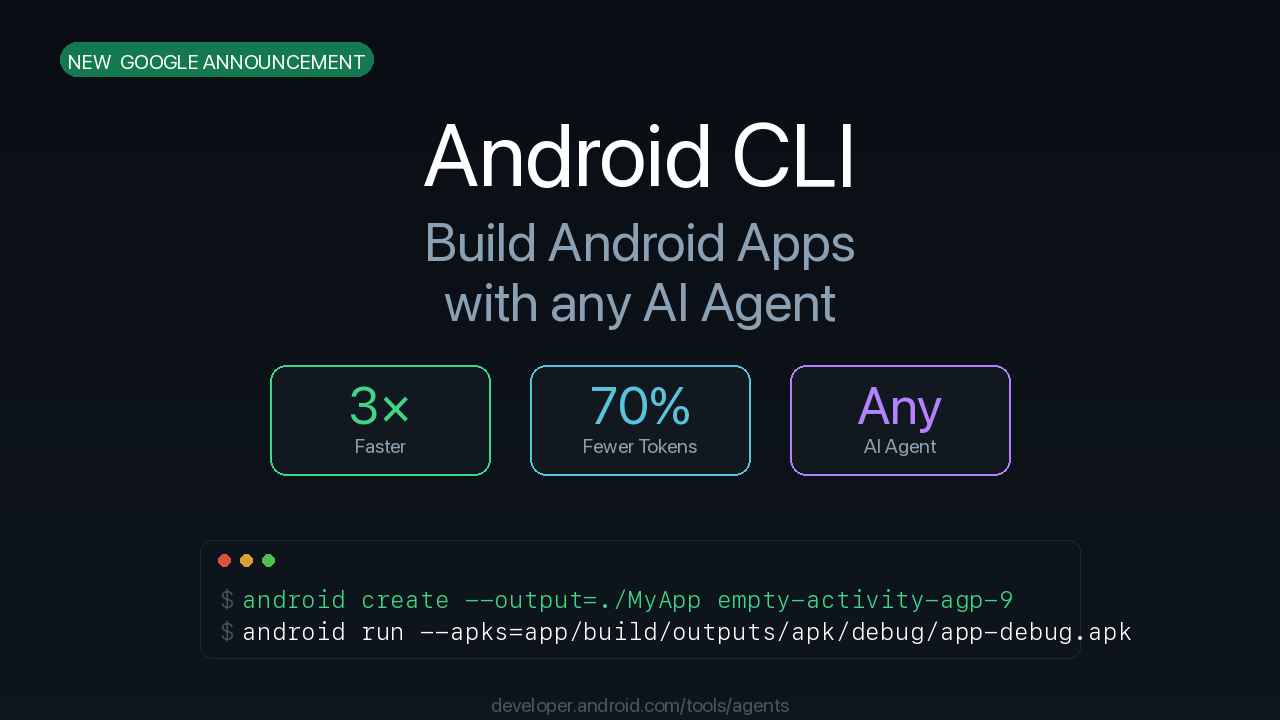
Android CLI — Build Android Apps 3x Faster With Any AI Agent

Android CLI: Build Android Apps 3x Faster With Any AI Agent

Google announced a new tool for Android developers: Android CLI. It works with any AI agent — Claude Code, Gemini CLI, Codex, or others. It makes AI-assisted Android development 3x faster and cuts LLM token usage by 70%. In this article I’ll explain what Android CLI is, what commands it has, and how to get started. What Is Android CLI? Android CLI is a command-line tool built for AI agents. ...

April 19, 2026 · 3 min

KMP Tutorial #20: Migrating an Existing Android App to KMP — Step-by-Step Guide

You have an existing Android app. It works. Users like it. Now the team wants an iOS version. Rewriting from scratch in Swift takes months. Kotlin Multiplatform lets you share the business logic and add iOS on top, without rewriting everything. In this final tutorial, we cover how to migrate an existing Android app to KMP. This is not a “rewrite from scratch” approach. It is a gradual migration — move one layer at a time, keep the Android app working at every step, and add iOS when the shared module is ready. ...

April 7, 2026 · 11 min

KMP Tutorial #18: Publishing Your KMP App — Android APK, iOS IPA, and CI/CD

Your notes app works on both Android and iOS. The data layer syncs, the UI layer has navigation and editing, and the shared ViewModel handles all business logic. Now it is time to publish. In this tutorial, you will learn how to build a release APK for Android, archive an IPA for iOS, set up GitHub Actions CI/CD, and prepare for the Play Store and App Store. What We Are Covering Android release build — signing, APK, AAB iOS release build — Xcode archive, IPA export GitHub Actions CI/CD — automated builds on every push Signing basics — keystores and provisioning profiles Store submission overview — Play Store and App Store requirements Android: Building a Release APK Debug vs Release So far, we have been building debug APKs with ./gradlew :composeApp:assembleDebug. Debug builds are not optimized and include debugging tools. For publishing, you need a release build. ...

April 6, 2026 · 9 min

Jetpack Compose Tutorial #25: Publishing Your App to Google Play

This is it — the final tutorial. You built a complete task manager app with Jetpack Compose, Room, Hilt, Navigation, MVI, animations, and adaptive layouts. Now let’s put it in the hands of real users. Before You Publish — Checklist Make sure your app is ready: App works — test every feature on a real device No crashes — check Logcat for errors Dark mode works — test both themes Different screen sizes — test on phone and tablet Keyboard handling — forms work with keyboard visible Proguard/R8 — release build compiles and runs App icon — custom icon (not the default green Android) App name — set in strings.xml Step 1: Generate a Signing Key Every app on Google Play must be signed. This proves the app comes from you. ...

March 26, 2026 · 6 min

Jetpack Compose Tutorial #24: Navigation, Animations, and Polish

The task manager works. You can add tasks, complete them, delete them, search, and filter. But it doesn’t feel polished. Screens change instantly. Deleting a task is jarring. There’s no feedback when you complete something. This tutorial adds the polish that makes the difference between a homework project and a real app. What We Add Feature What It Does Navigation transitions Screens slide in/out smoothly Swipe to delete Swipe a task left to delete it Animated task completion Checkbox animates, strikethrough fades in Animated list changes Tasks slide in/out when added or removed Empty state animations Gentle fade-in when list is empty Dark mode Follows system theme Snackbar with undo “Task deleted” with undo option Navigation Transitions By default, screens appear instantly. Add slide transitions: ...

March 26, 2026 · 5 min